Available Releases
Once the user has selected a filter using Finder or Workspace, Available Releases will be displayed in the main panel.
The Finder/Workspace filters can be cleared by clicking  at the top of the main panel.
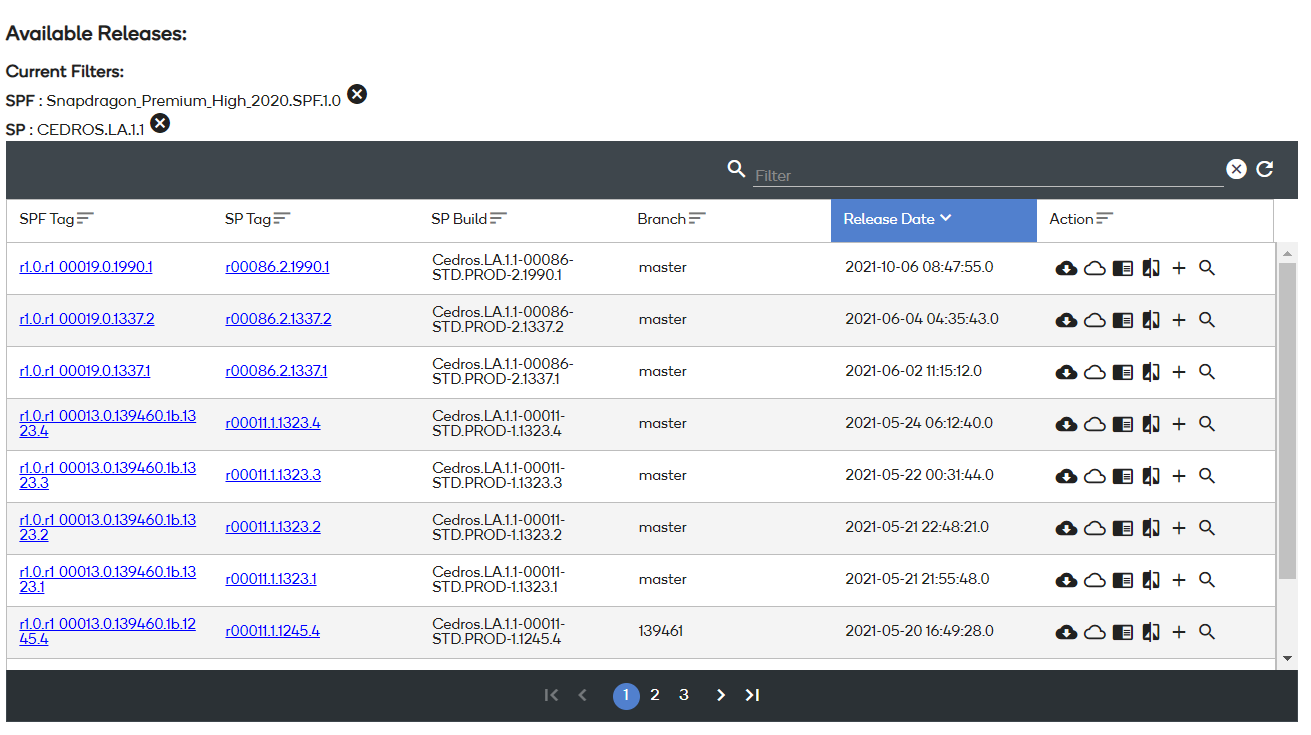
Filtering and Sorting Available Releases
The table that displays all available releases can be filtered and sorted as needed. The global filter at the top will accept filter criteria for any column. Click to clear the global filter.
Sort any column by clicking the heading of that column. The column currently used to sort, is highlighted in blue.
Available Release details
The table that displays all available releases contains the following columns:
- Software product family (SPF) Version
- Version
- Software Build
- Branch
- Release Data
- Downloaded Distros (only available in Desktop Application)
- Actions
SPF Version
The SPF Version column displays the Software Product Family.
Version
The Version column can display a version in plain text or as a link.
- Plain text indicates the release is an official build. A link indicates that the release is a Service Build.
- Service Build versions are Base Build Version + Software Request ID + SP spin number.
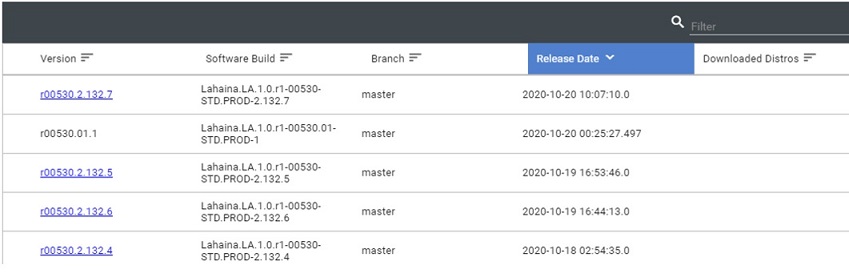
Downloaded Distros
The Downloaded Distros column indicates the Release Distros that have already been downloaded to the local system.
NOTE: This column is only visible in the Desktop Application.