Affected Products
To determine the applicability of each CR to a specific Software Product (SP), refer to Qualcomm Package Manager. You will need to check separately each SP and release you are concerned about.
Steps to Check CR Applicability
1. Access Qualcomm Package Manager
Go to Qualcomm Package Manager at: https://qpm.qualcomm.com/
2. Navigate to Software Section
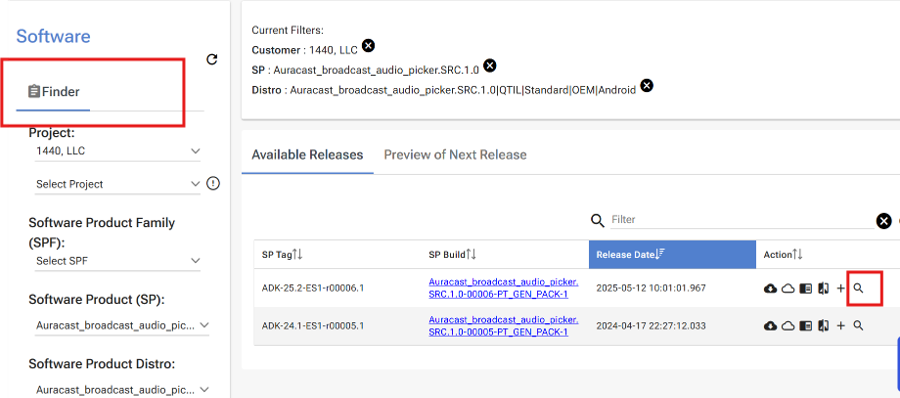
From the tabs on the top, click on Software -> Software Builds to navigate to the Finder Page. Select the project and software product families, and software product. Available releases for the selected product will be displayed in the main panel.
3. Access CR Search
Click on the Search icon in the Actions column against the SP build for which you want to check applicability.
4. Enter CR Information
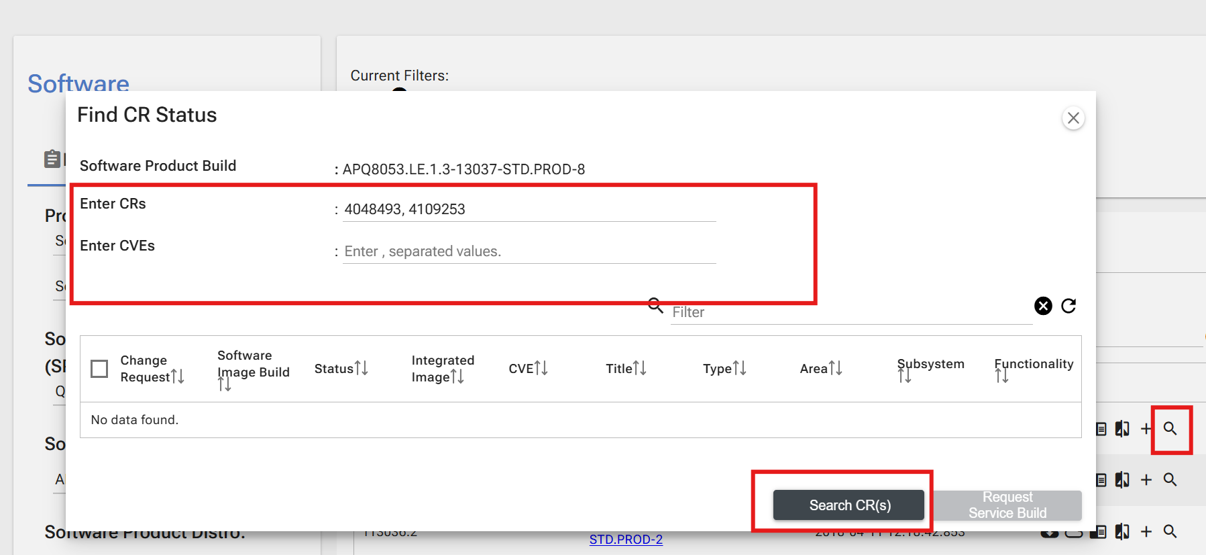
Enter a comma separated list of CRs or CVEs from the Security Vulnerabilities table sheet in the Security Bulletin, then click Search CR(s).
5. Generate Search Request
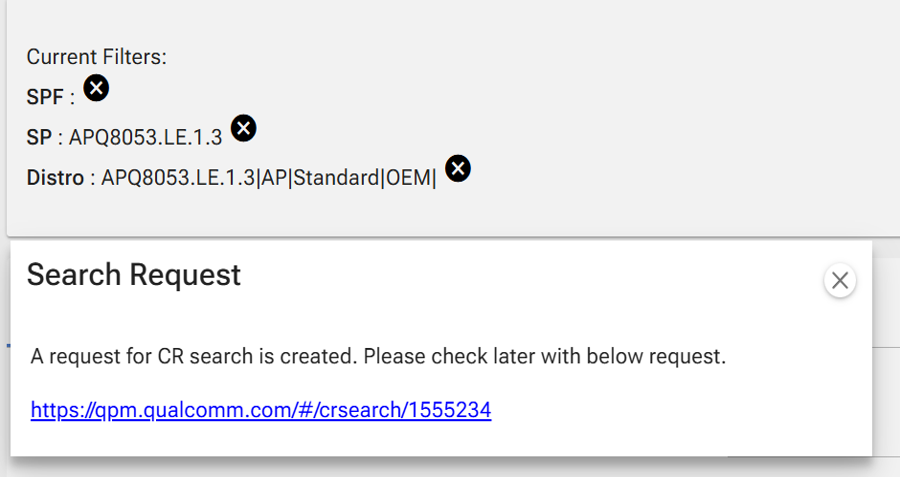
A Search request is generated. Click on the Search link to see the applicability result.
6. Review Results
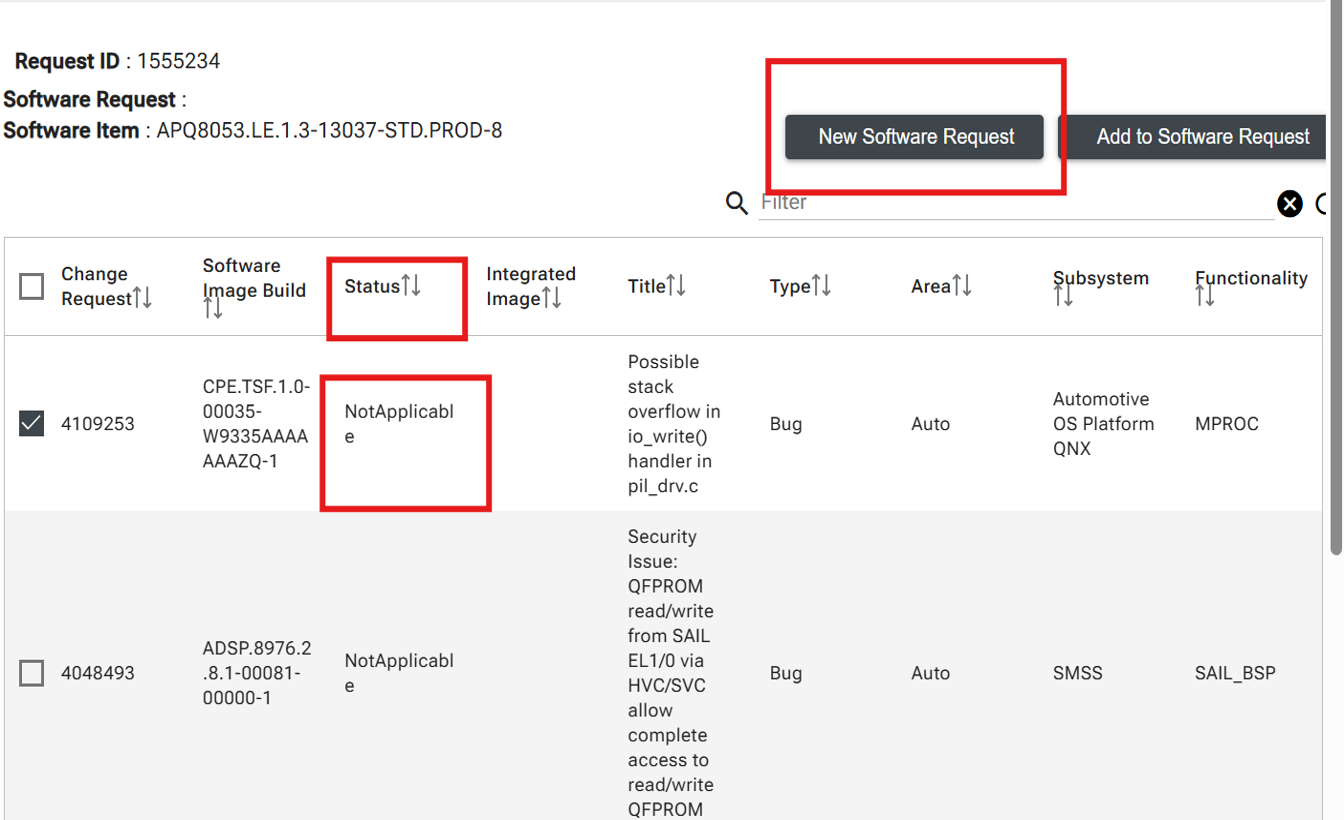
Search result indicates the Applicability of the CRs under the Status column.
7. Request Fixes
Select the CR and Click New Software Request to request for the fix as appropriate.
Important Notes
- This process helps determine if security vulnerabilities from Qualcomm Security Bulletins are applicable to your specific software products and releases.
- Each software product and release should be checked separately for CR applicability.
- The search results will show the current status of each CR for your selected software build.
- Use this information to determine which security fixes need to be requested and integrated into your software.