Software Details
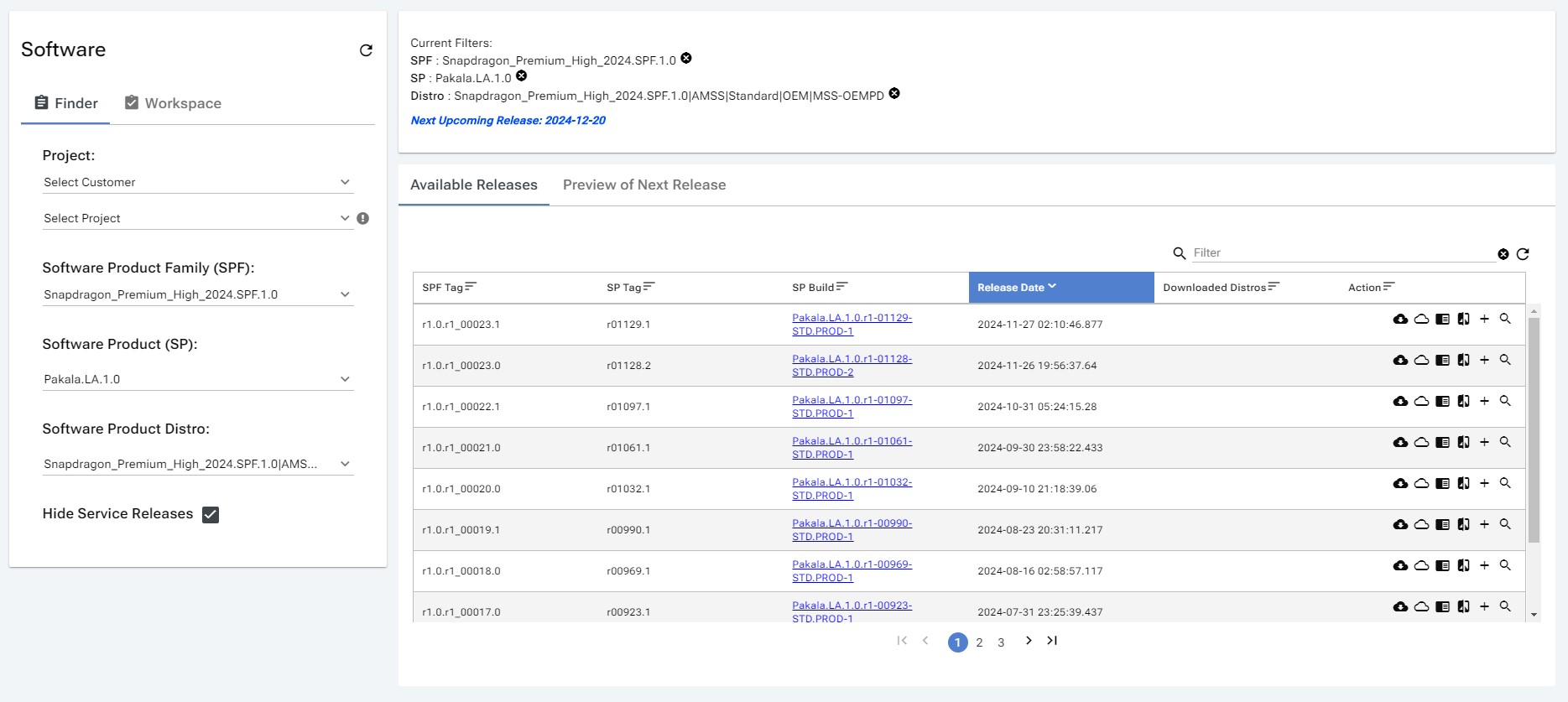
Once the user has selected a SP and distro from filter, available releases will be displayed in the software build page.
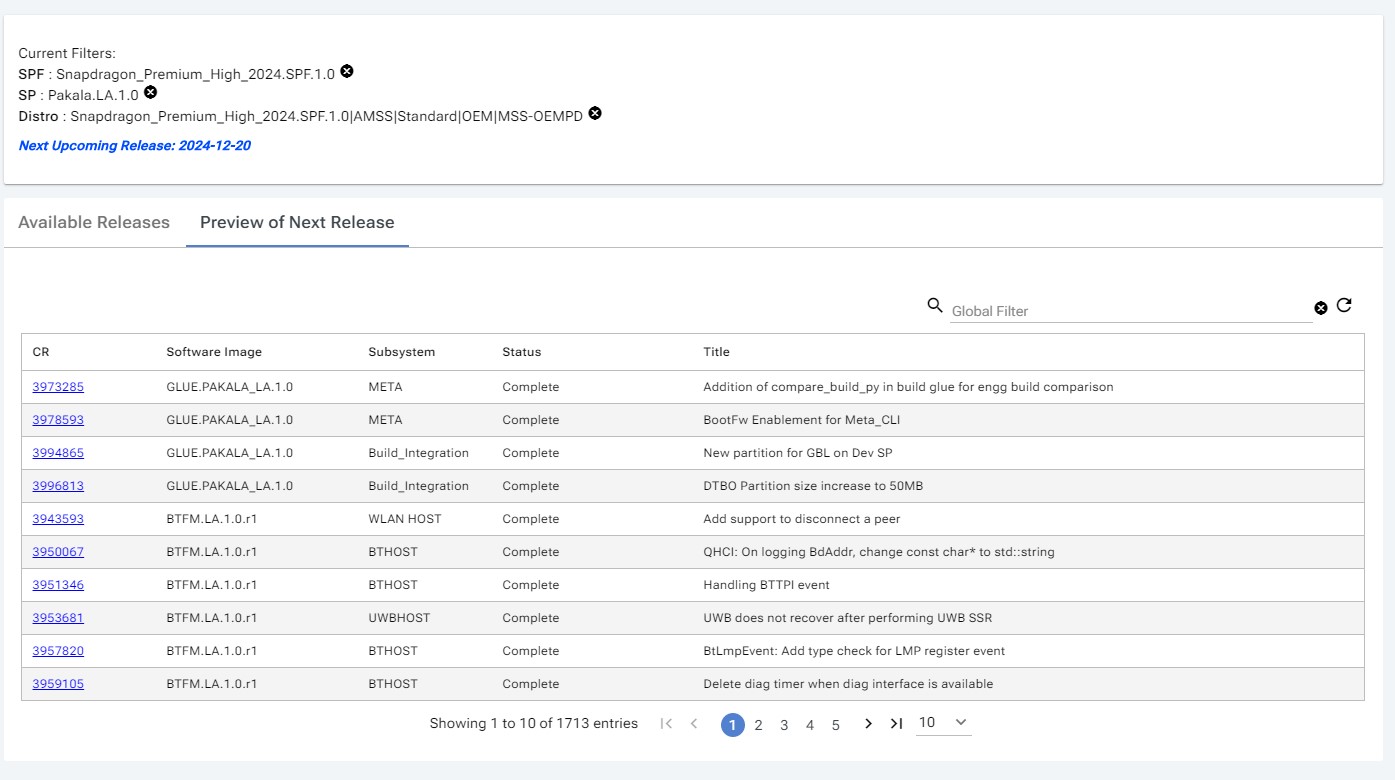
Preview of Next Release
Table that indicates list of CR's that are going to be included in next release
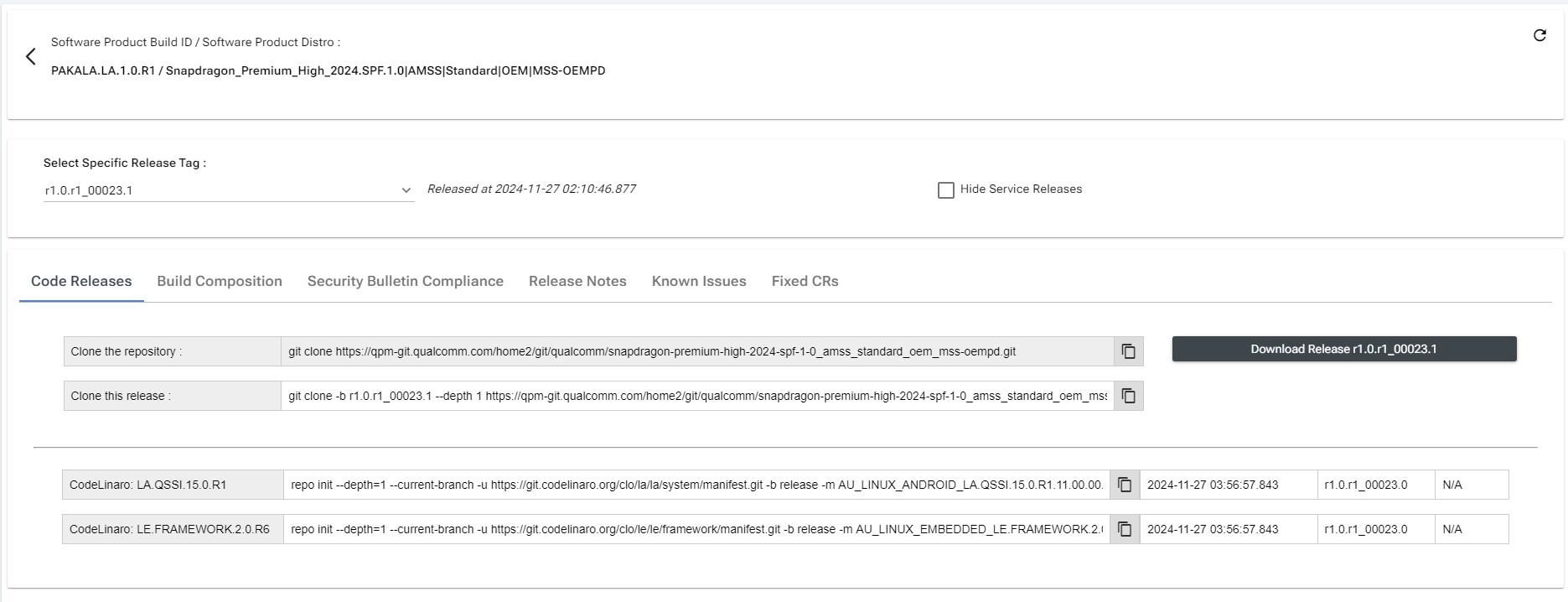
On clicking the SP Build link, the user will be redirected to the software details page.
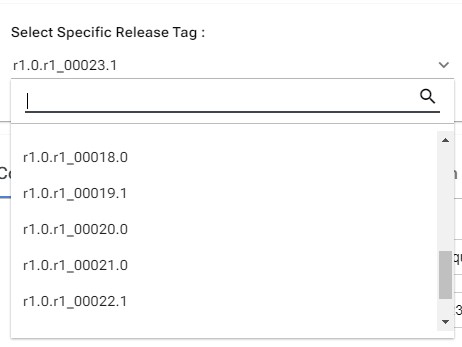
Selecting Available Release Tag
All available release tags are displayed in the dropdown. The user has the option to select a specific release tag from the dropdown.
Hide Service Releases
On checking the Hide Service Releases checkbox, it helps to hide QPM service releases from the dropdown and only show CRM releases.

Download Release
By clicking the Download Release button, you can download the software product build for the selected distro.
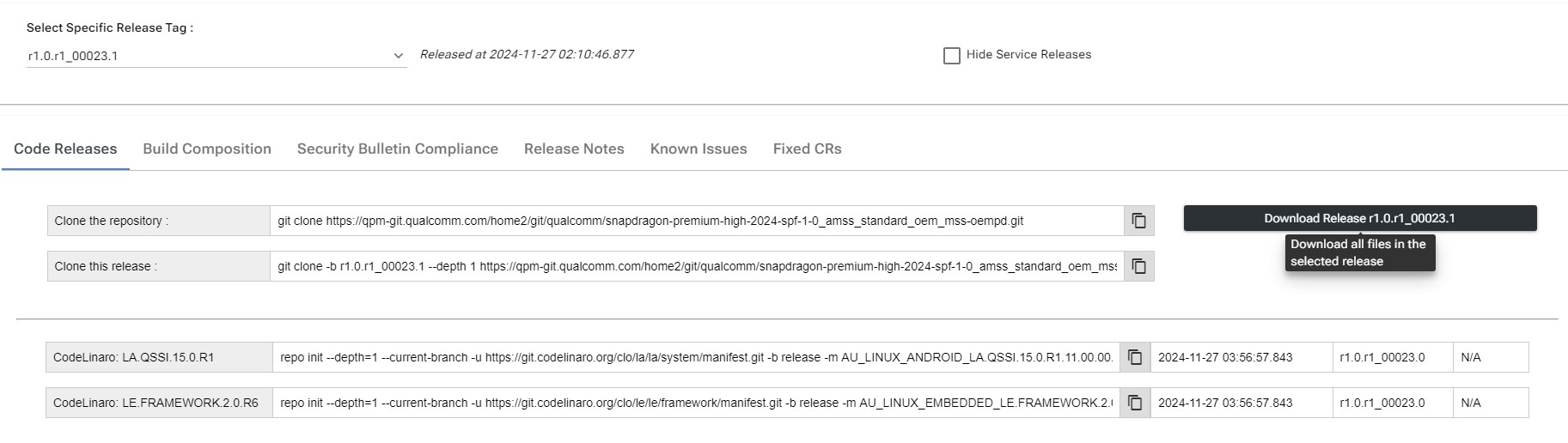 NOTE: Both shipping and downloading will be done by it.
Build Composition
The Build Composition table displays information about the software-Image and version.
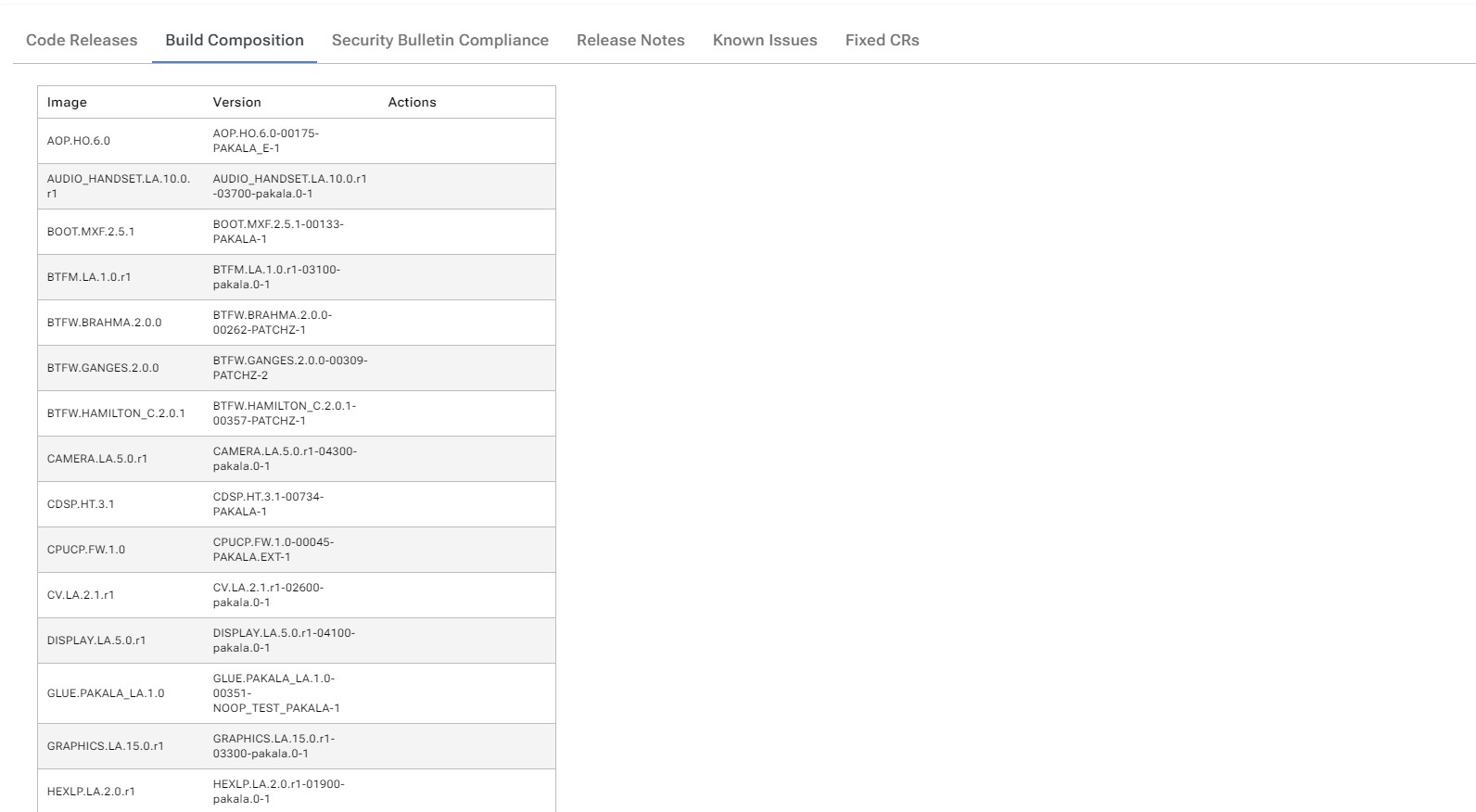
- Specific software image builds can be downloaded by users by clicking the Download Image icon.

About.HTML
In the About.html section, you can see the build components of the software product.

Security Bulletin Compliance
In the Security Bulletin Compliance_, you can see information about Bulletin and it's latest dates.

Release Notes
In the Release Notes, you can see link to release notes along with meta data like Date Published, Revision , Document Number

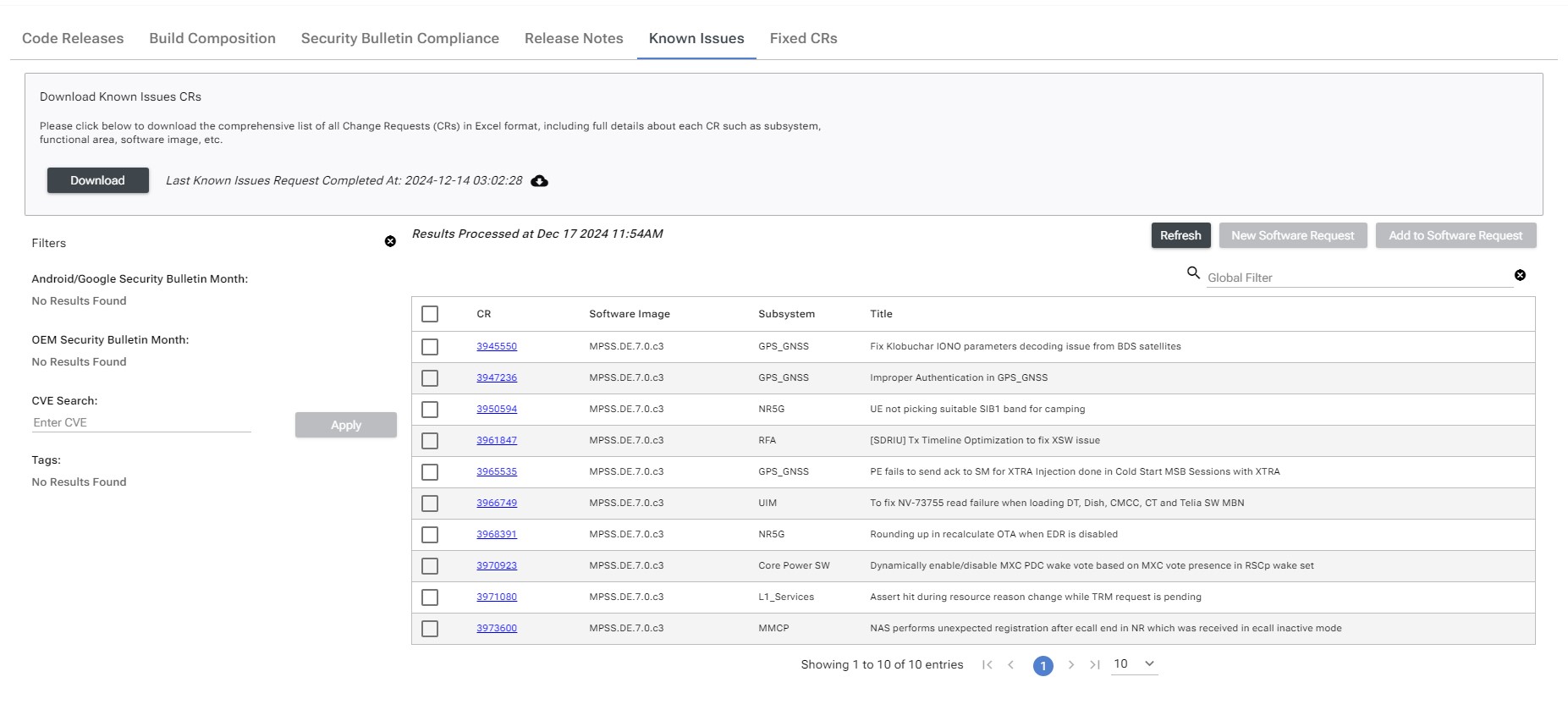
Known Issues
In the Known Issues, you can see all the issues identified on this build.
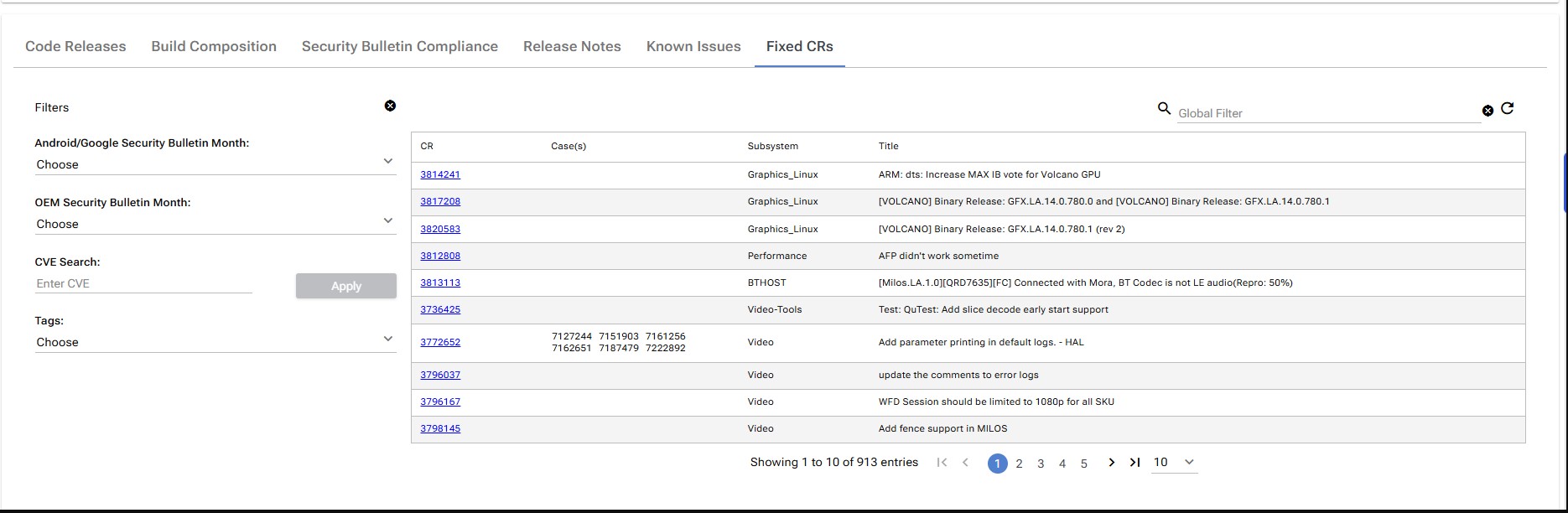
Fixed CRs
In the Fixed CRs, you can see all the CR's that are included in this release
Filters & Options
Filters
We can filter CR results based on the following criteria:
- Android/Google Security Bulletin Month
- OEM Security Bulletin Month
- CVE Search
- Tags
- Global Filter
Options
- Refresh
- Known Issues: CR's: We can add them to a software request or create a new software request.
- Download: Ability to request a raw Excel sheet with full details.