Distribution
The Distribution page shows all SP builds created in the Build page. If an SP build has not been triggered, the Distribution page will show that no releases were found.

For each SP build that has been triggered from the Build page a panel will be added to the Distribution page.

Each SP build panel can expand to display additional details of the SP build (status listed in the panel heading). SP build details depend on the status and timing of the build.
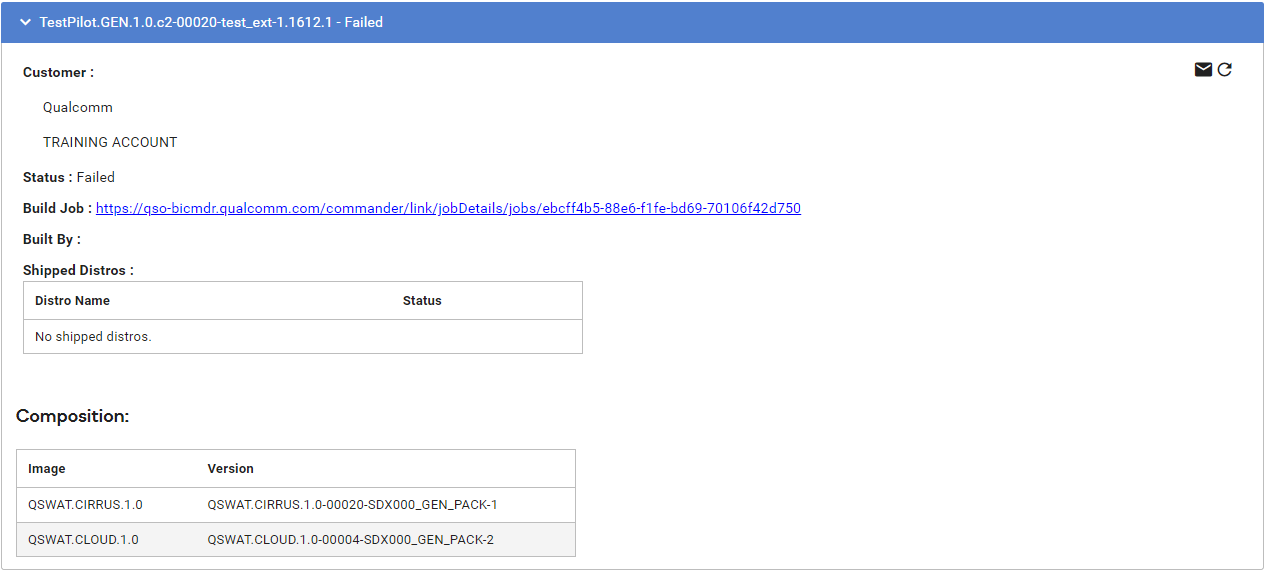
The following examples show one SP build that failed and one that contains a complete build that is ready to ship.
There are no CRs listed because this build was triggered at a time where no CRs were added; either CRs were already included in prior builds or the CRs were not fixed yet.
The SP Build panel also includes the build composition, which is a list of every SI version included in the SP build.
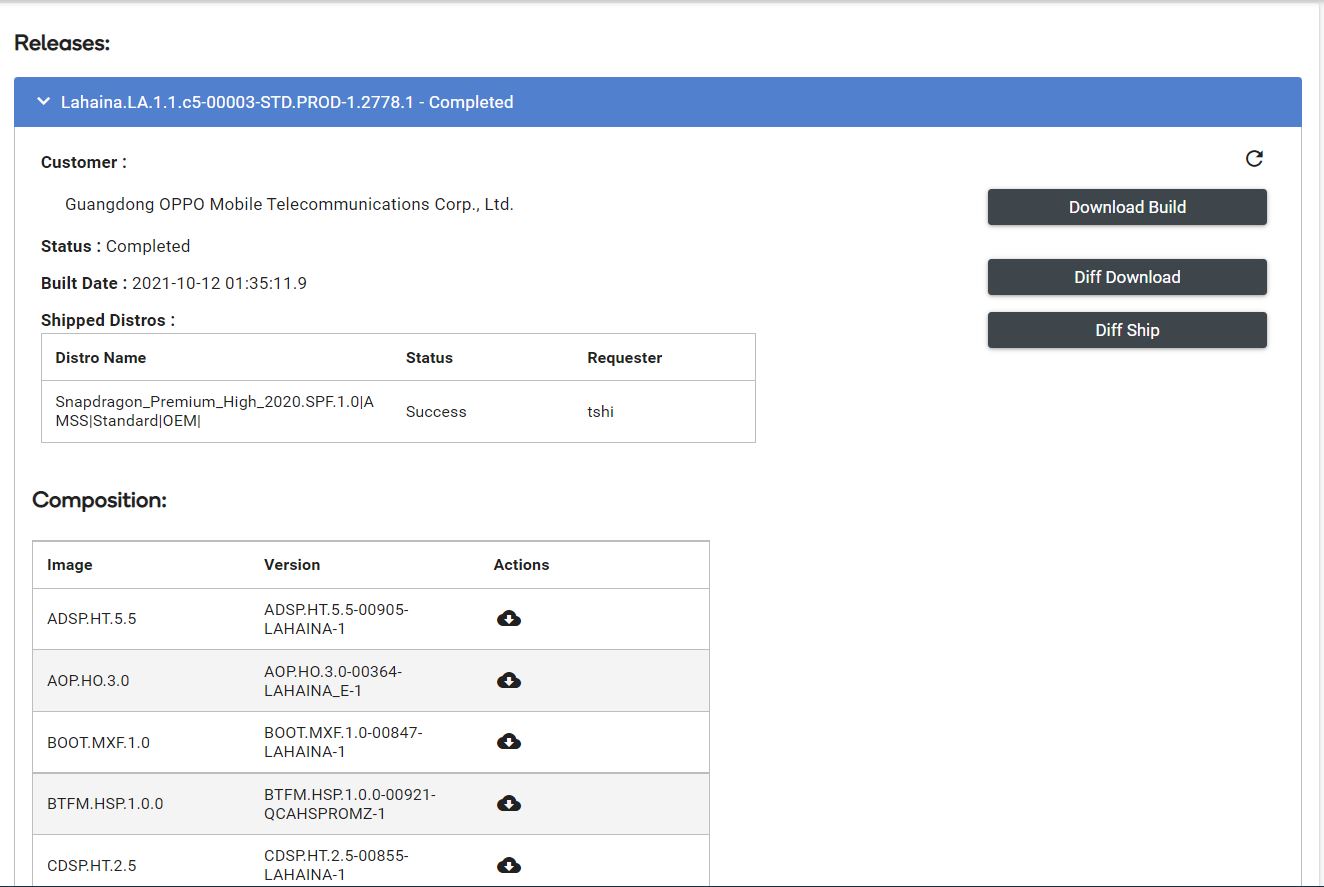
This SP build example also shows the following:
- Diff Download and Diff Ship options are available because the build is in Completed state.
- All CRs lists all CRs included in this build. New CRs lists all CRs that are unique in this SP build version.
- The build has already been shipped to the distros listed in the Shipped Distros section.
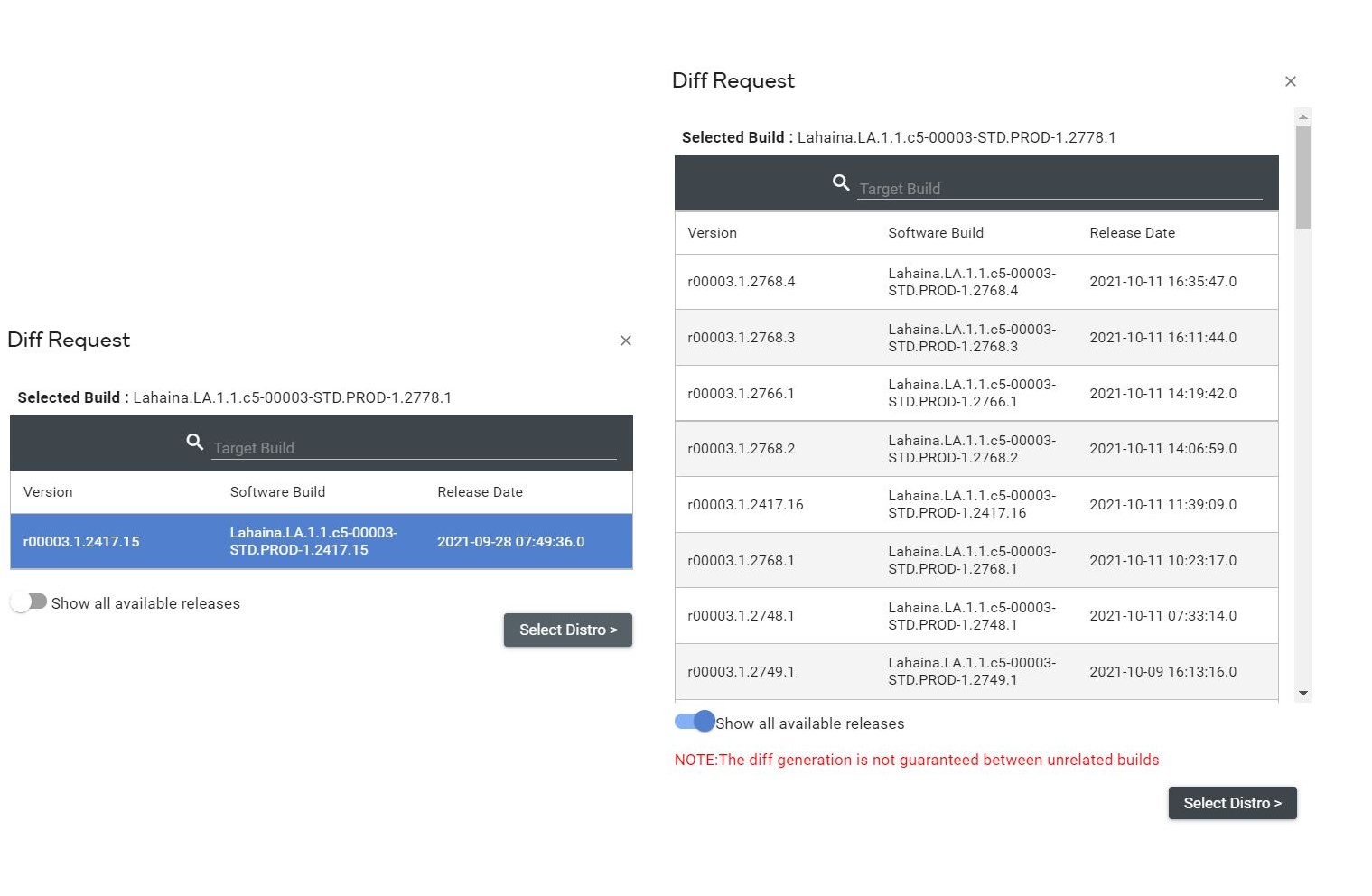
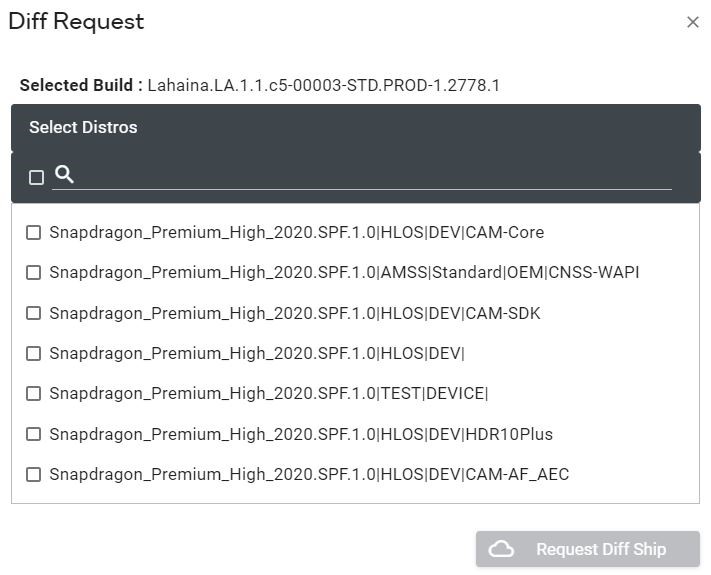
Diff Ship option can be used to ship diff between two builds To request a Diff Report:
- Click Diff Ship button for the shipped build.
- Select the secondary build to compare to, then click Select Distro.
- Select Distro(s), then click Request Diff Ship.
The  option can be used to download individual Software Images (SI) rather than downloading the entire Software Product (SP).
The  option can be used to download a diff for an individual software Images (SI) rather than diffing the entire Software Product (SP).
If any distro fails to ship, status will show “Failed” Click  to attempt a repost.