Tools Discovery
Tool List Page
Users can use the Tool List Page to see all tools that are avilable based on their entitlements.
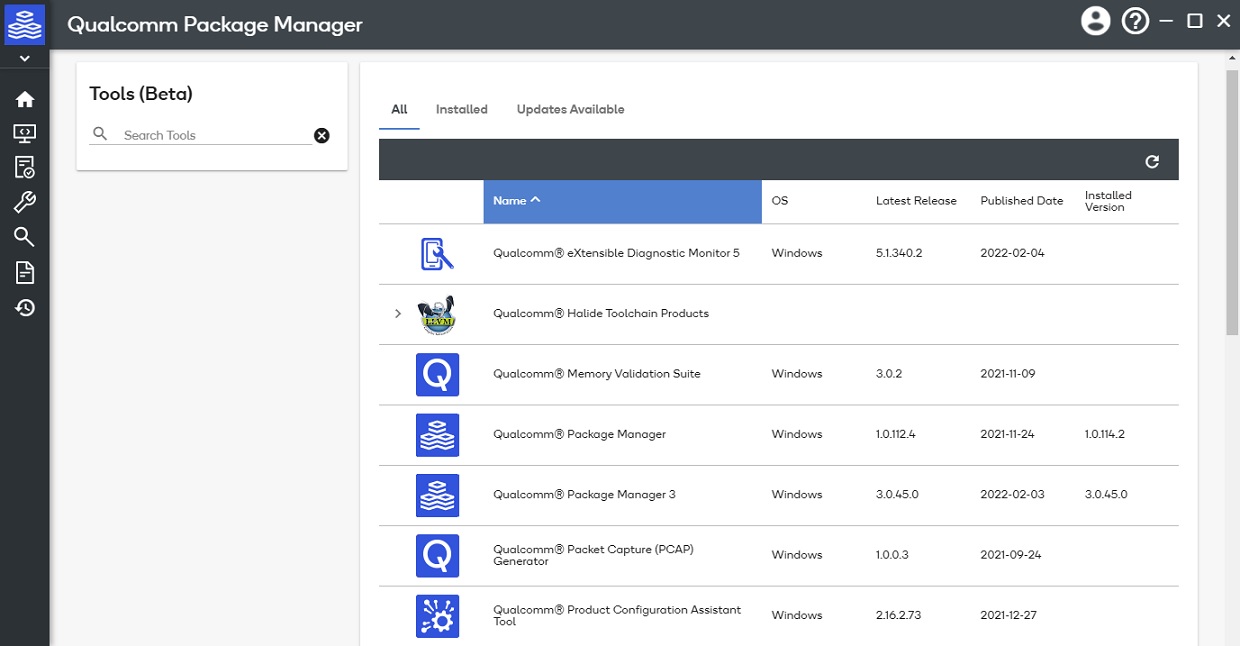
Search
The global Search field can be used to prune the list of visible tools. The search criteria can include:
- Display Name
- Short Name
- Tool Description
- Suite Name
- Subsuite Name
Filter
The filters include:
- All - Show all tool regardless of their installation status
- Installed - Only show tools that are installed (only visible on Desktop Application)
- Updates Available - Only show tools that are installed and have an update available (only visible on Desktop Application)
- System OS (only visible on Web Portal)
Tool Suites and Subsuites
Tools can be organized into groups called Suites and Sub-suites. Tools within the Suite/Sub-Suite will not be visible until the parent Suite/Sub-Suite are expanded using the > icon.