Build
The service task Build page contains a list of software images (SI) contained within a software product (SP).
Users can view SI status/information from the Build page.

Software images (non-Linux)
Applicable SI are automatically added to the Build page in expandable panels. Each panel contains details and status for that SI. There can be multiple SI panels for a single service task.
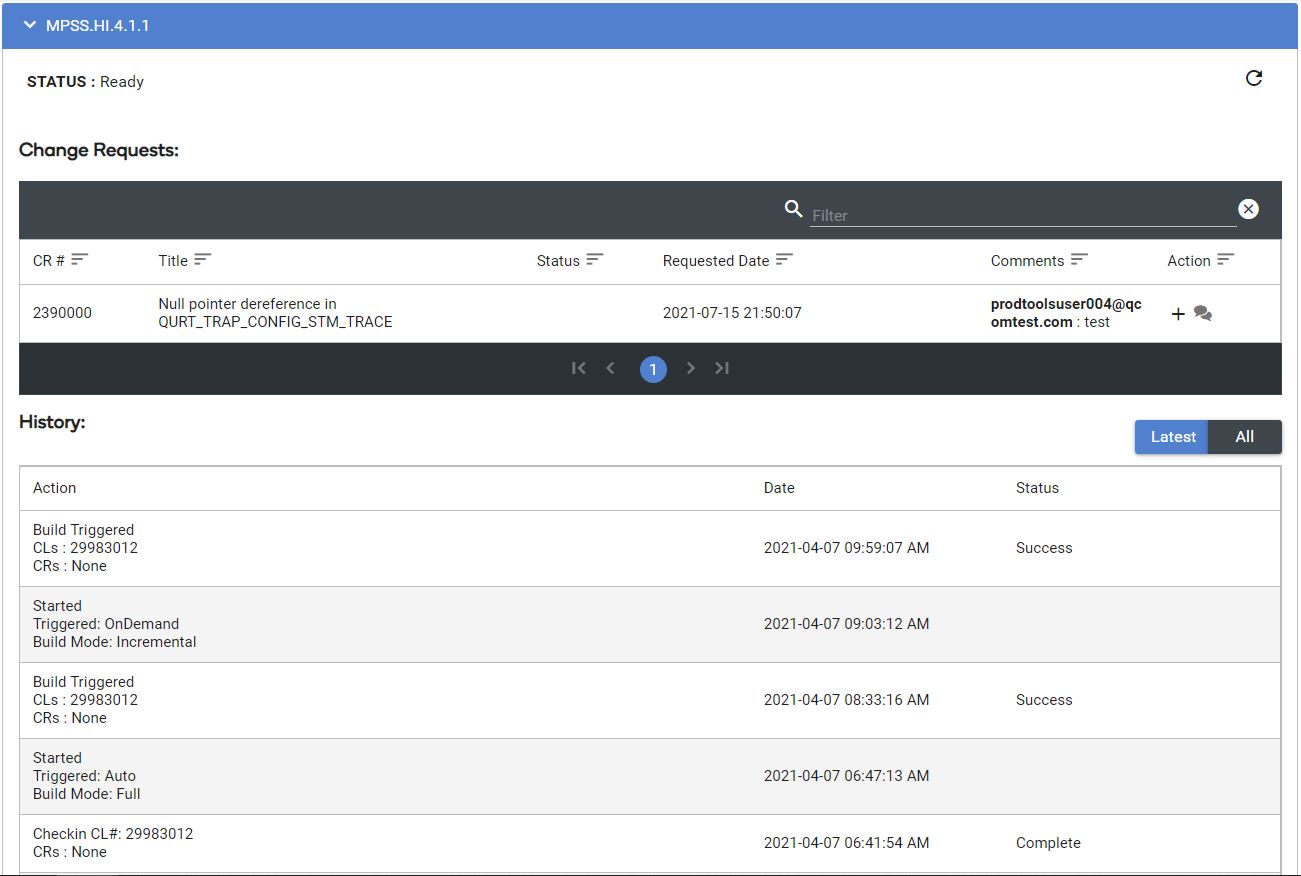
The  option can be used to toggle between seeing all builds or only the latest build.
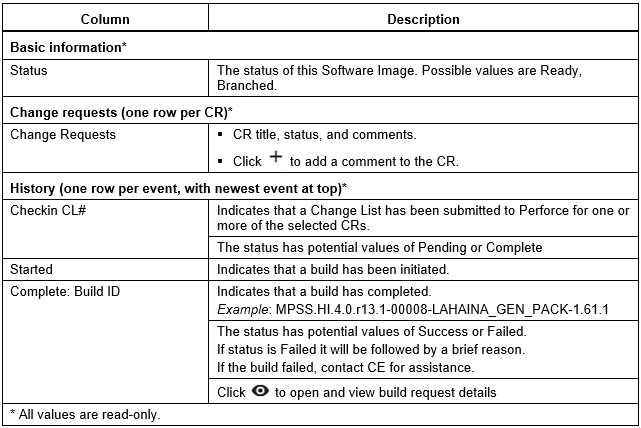
Software Image Detail Descriptions
Software Image Download
To download software:
- Click
 .
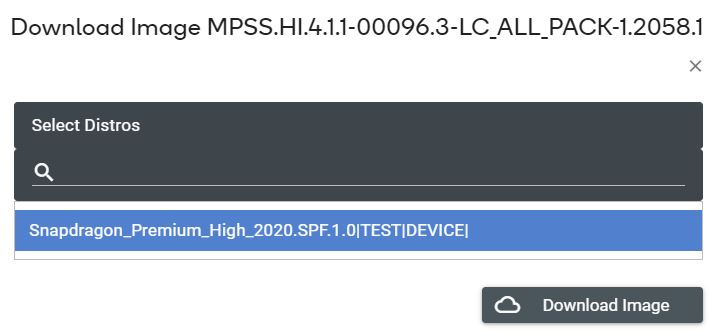
. - Select the Distro(s) to download for this release, then click Download. The list of available Distros depends on the completed Ship Requests for this Software Image.
- View download history from the Download page.
Linux Software images
Applicable Linux SIs are automatically added to the Build page in expandable panels. Linux SIs start with LA or LE. Each panel contains details and status for that SI. There can be multiple SI panels for a single service task.

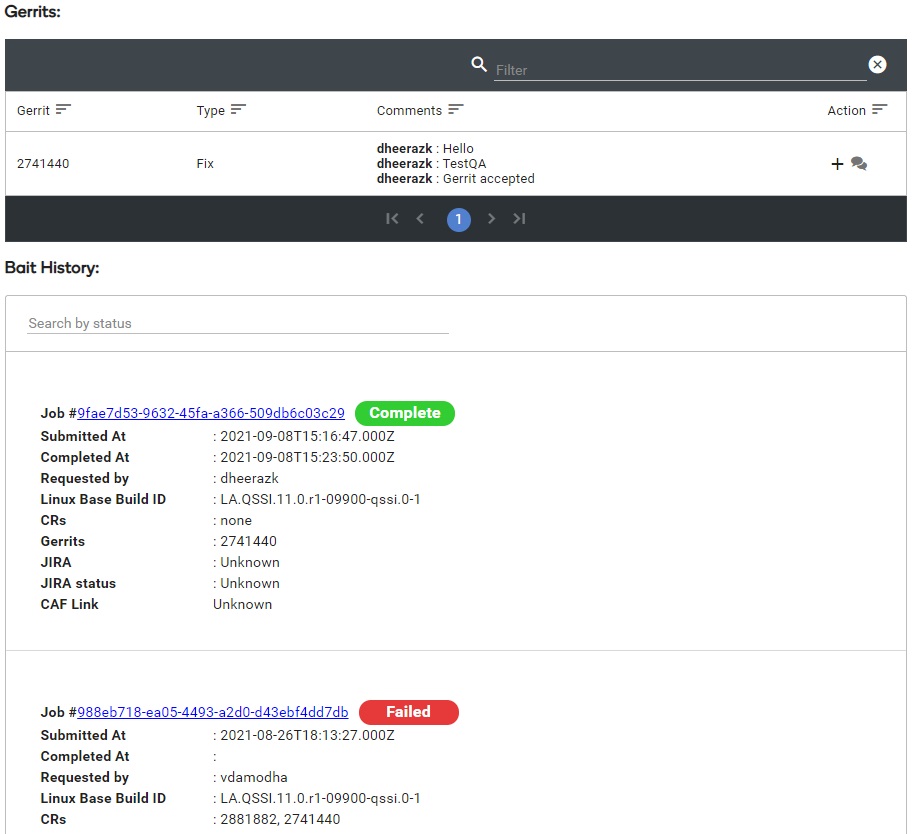
Within the Linux SI panel it will display Change Request just like non-Linux SIs. It will also list Gerrits and Bait History.
- In the Gerrits table users can add comments for each Gerrit
- In the Bait History section each build will show have a unique Job # along with the status of the build.
- Each build is independent (not incremental) so it will only include the Gerrits/CRs listed below each job (plus the Gerrits/CRs that were included in the Base Build).
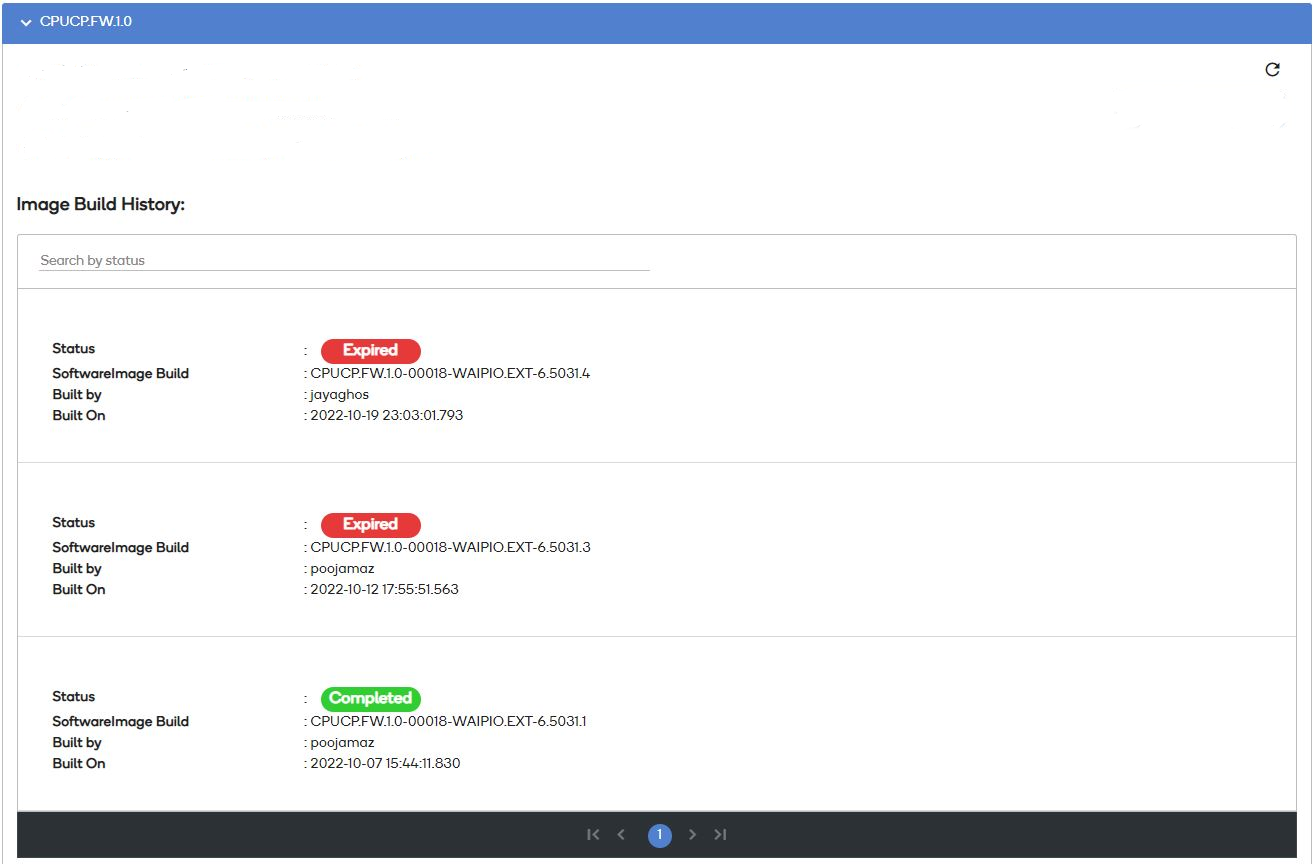
CPUCP* Software images
Applicable CPUCP* SIs are automatically added to the Build page in expandable panels. Each panel contains details and status for that SI. There can be multiple SI panels for a single service task.

Within the CPUCP SI panel it will display Image Build History.