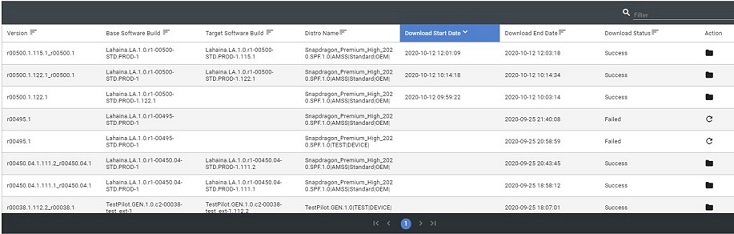
Download History
Click  in the main menu (only available in Desktop Application) to open the Download History page. This page shows the details for all download attempts and their status:
- Success – Displays a button to open the folder where the download is located.
- Failed – Displays an option to retry the download again.
- Queued – Displays an option to cancel.