Planner Integration
Planner (https://createpoint.qti.qualcomm.com/planner/) is a legacy tool for requesting new service builds. This link will take the user to the CreatePoint / Software Code / Release Planner page.
In the Release Planner page, the user must filter the builds by Project, Customer, Project, Branch, and/or Build.
Creating a new service task from Planner
To create a new service task:
- Click the Plan Builder tab.
a. Enter CR numbers in the Lookup CR Numbers section.
b. Click Add to Plan Request.
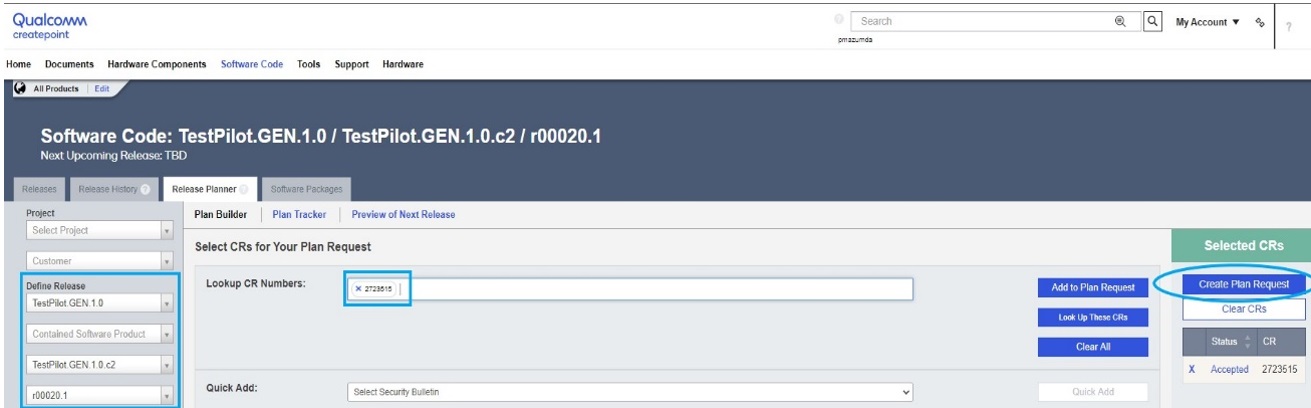
c. After all CRs have been added to the plan request, click Create Plan Request. - Make selections from the Purpose and Reason lists.
- Click Submit Request.
Viewing service task details in QPM3
All Service Tasks created from the Planner are also visible in QPM3. Open the Service Task Finder to find and view the Service Task details.
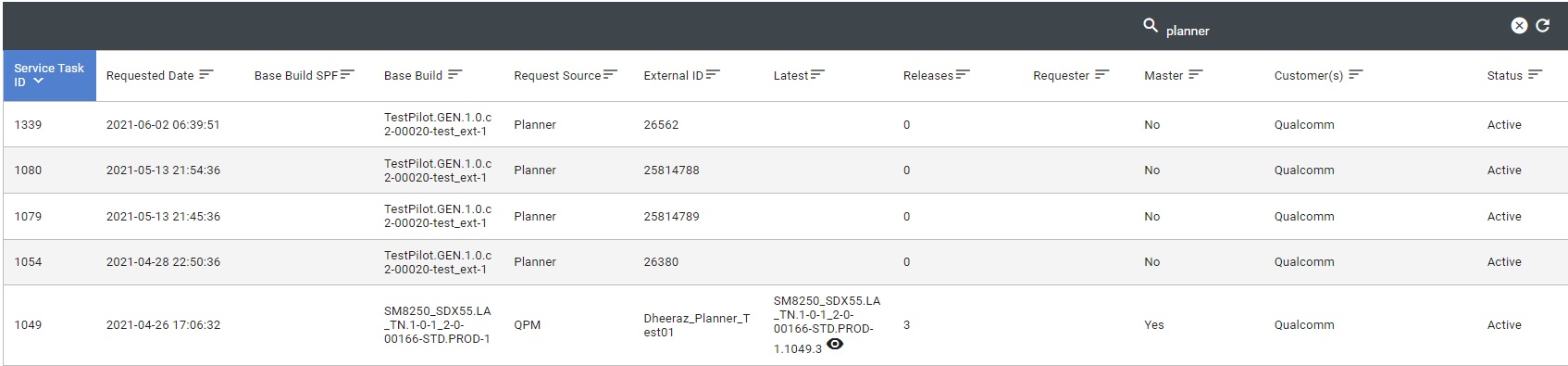
NOTE: Changes made to the Service Task from Planner are visible as soon as QPM3 details are refreshed.
Viewing service task details in Planner and QPM3
To view the details and/or status of an existing Service Task the user would:
- Click the Plan Tracker tab and search for the service task number.
- Click the Service Task number to open it in QPM3, or click on the corresponding Plan Id number to open it in Planner.
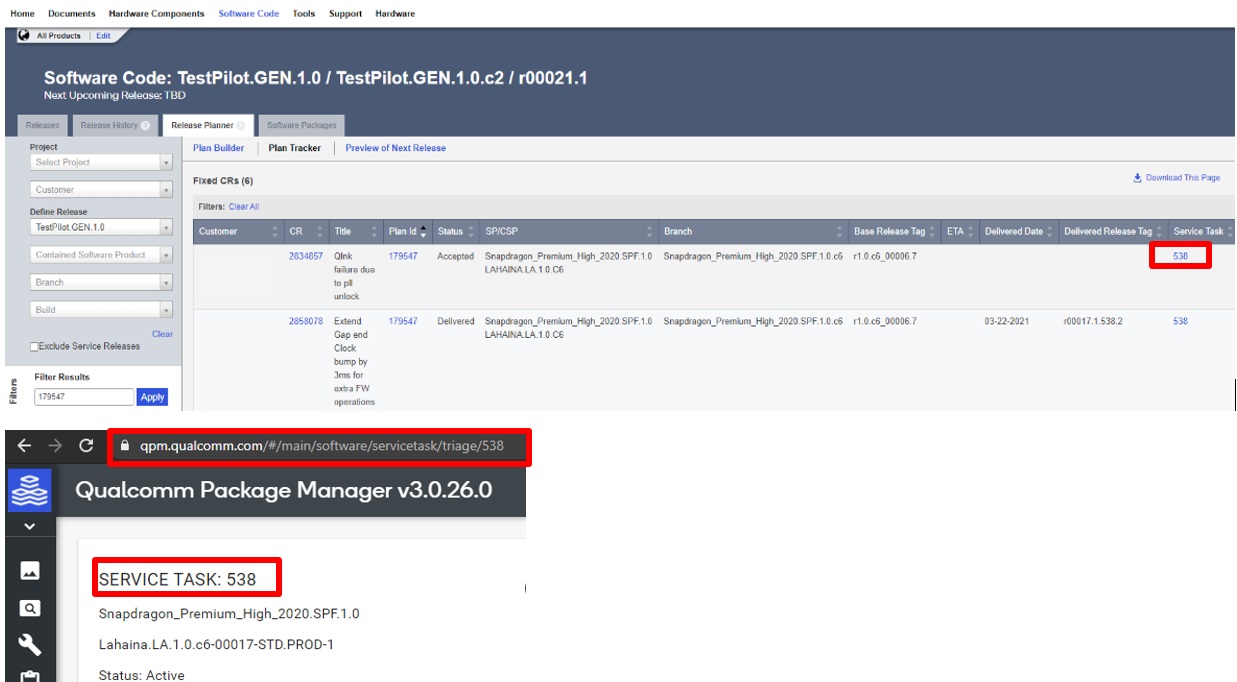
NOTE: Changes made to a service task in QPM3 can take 20-30 minutes to reflect in Planner.